There are two easy ways you can find your Facebook ID.
Option 1
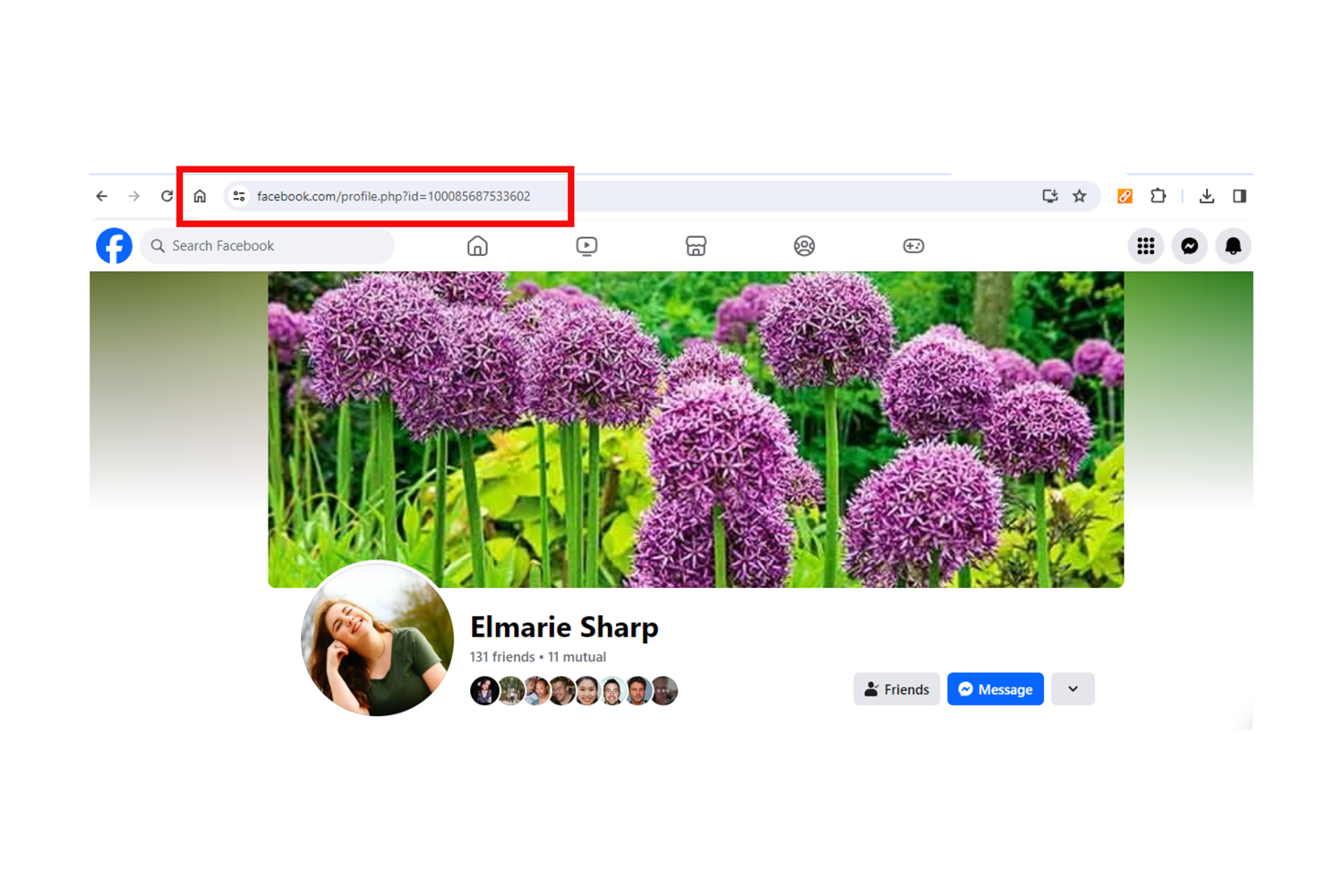
When you look at your Facebook profile in a web browser, you will see a URL at the top. It will look something like this:
https://www.facebook.com/profile.php?id=100085687533602

The string of numbers at the end of the URL will be your Facebook ID.
If you’re using your phone, go to your profile page and tap on the three dots next to ‘Edit profile’. You will now see your ‘Profile settings’ page. At the bottom you will see ‘Your profile link’ with a string of numbers at the end. Those numbers will be your Facebook ID.

Now, some of you might have noticed that you don’t have any numbers in your URL, but instead it shows your name and surname, a business name, or other text. No problem! Follow the three steps in Option 2 to get your Facebook ID. It’s quick and easy.
Option 2
Step 1:
Go to your Facebook profile page and copy your link/URL.
Web:
Mobile:
Step 2:
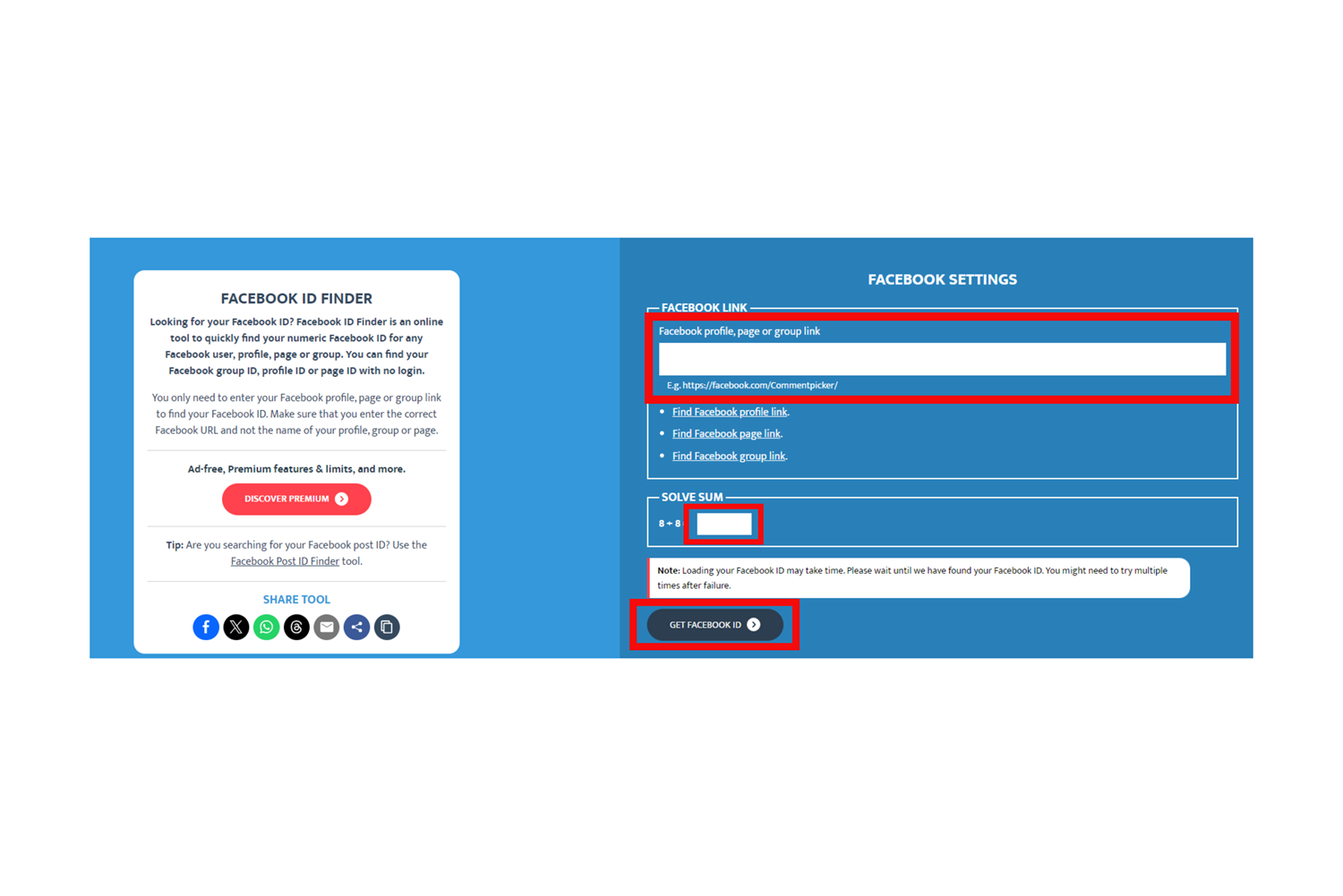
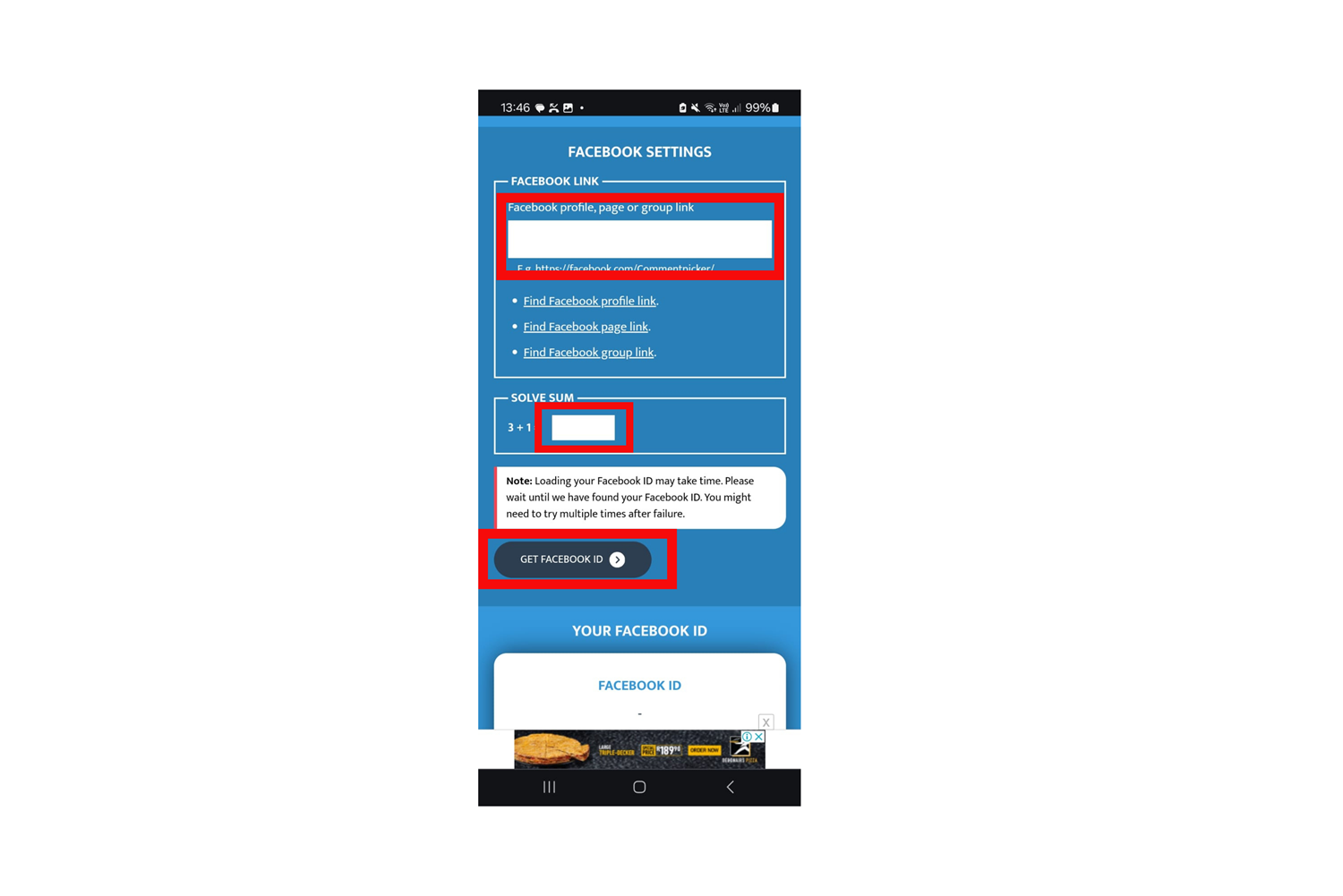
Click or tap here to visit www.commentpicker.com, scroll down until you see the Facebook Settings block, then do the following:
- Paste your link into the Facebook Link block.
- Solve the sum.
- Then click/tap on Get Facebook ID.
Web:
Mobile:
Step 3:
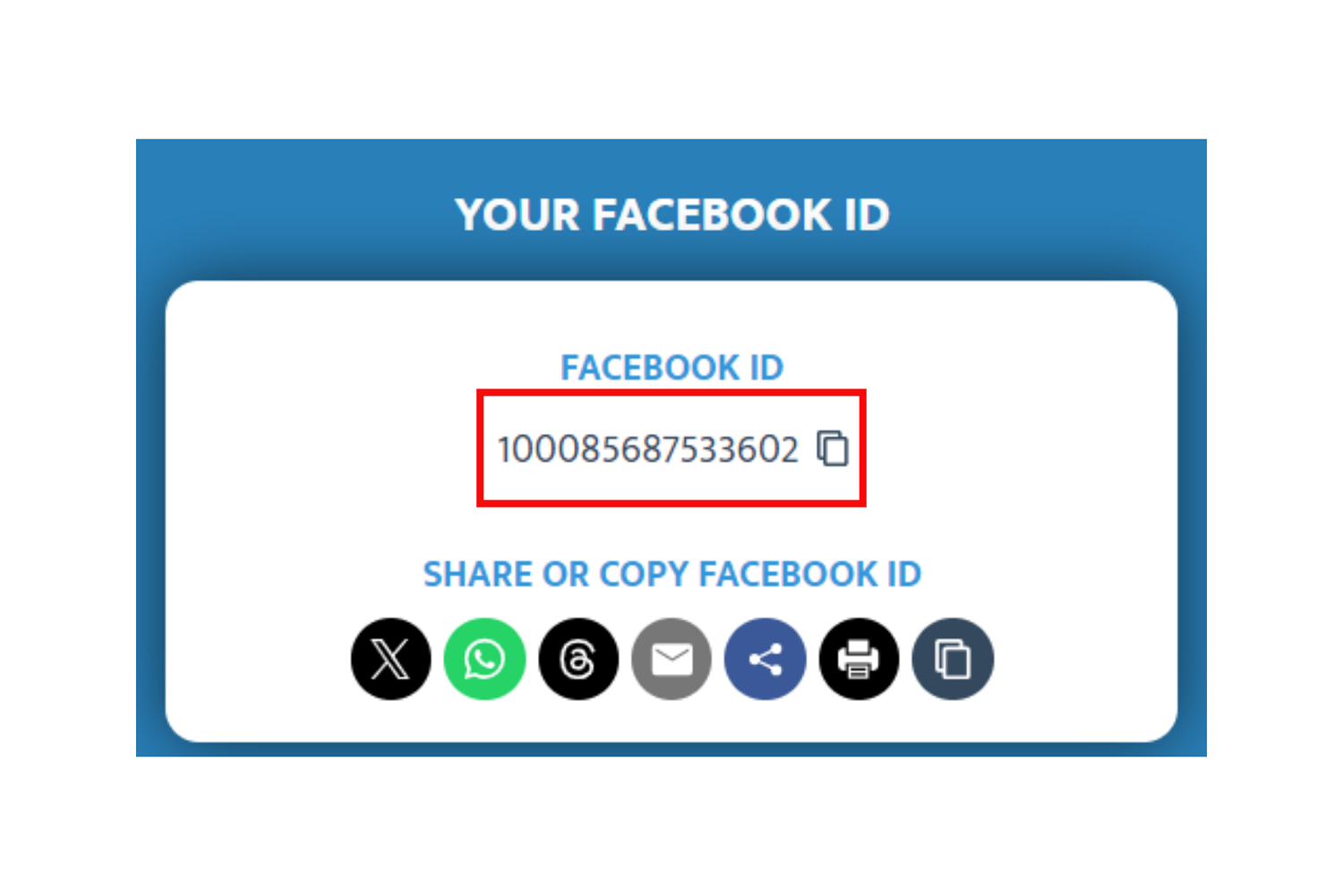
The block in the screenshot below will pop up with your Facebook ID. Copy the numbers and send them to us.
Web/Mobile:
And that's it! If you need assistance with anything, please feel free to reach out to our Moderation Team by sending an email to moderation@junkmail.co.za.
You may also like

Sell Your Items with Ease Through Junk Mail Online Auctions
30/05/2025

Introducing Junk Mail’s Dynamic New Offering: Online Auctions
27/05/2025

Easy and Effective Steps to Creating Alerts on Junk Mail
06/08/2024